The Power Pack
Get more from Power BI with a suite of pre-built reports, available at no extra cost to Node4 customers.
Finance Report
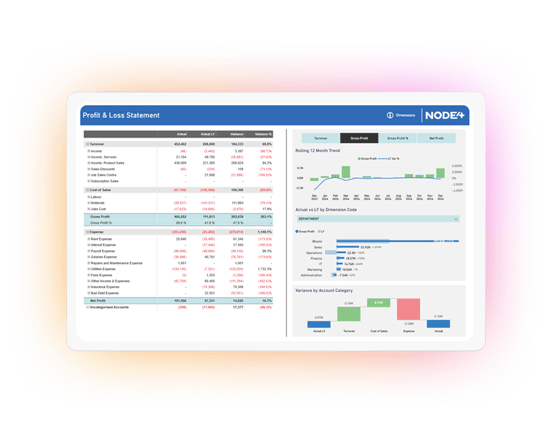
The Finance Report provides a dynamic alternative to traditional financial statements, enabling users to analyse Profit & Loss and Balance Sheet performance across periods, dimensions and historical trends.
Key Features
- Profit & Loss analysis with Actual vs Prior Year comparisons
- Balance Sheet reporting with financial position trend analysis
- Rolling 12-month performance trends
- Dimension-based variance analysis
- Drill-through to detailed General Ledger transactions
Sales Report
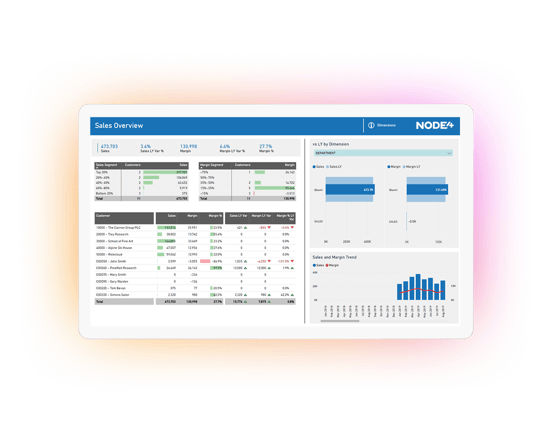
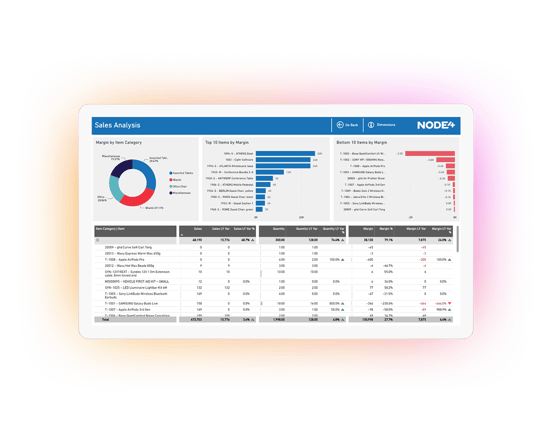
The Sales Report helps businesses understand revenue and profitability by customer, product and category. It is designed to highlight both high-performing and underperforming customers and products, allowing users to identify opportunities to improve sales performance and profitability.
Key Features
- Sales and margin KPI dashboards
- Customer segmentation based on revenue and gross profit
- Customer profitability analysis
- Top and bottom-performing products by margin
- Detailed drill-through from customer to item-level transactions
Inventory Report
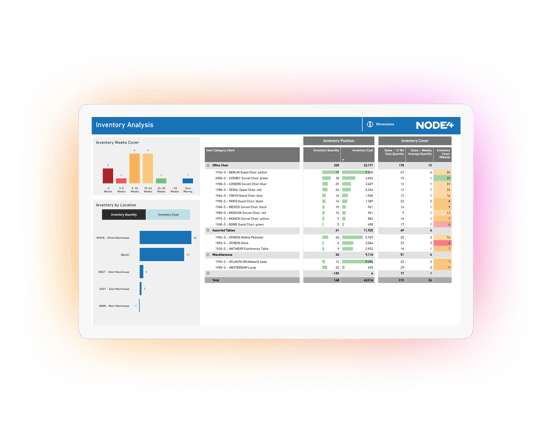
The Inventory Report provides visibility into stock holdings and inventory coverage across locations. By combining current inventory levels with historical sales patterns, it calculates weeks of stock cover and highlights potential inventory risks and opportunities.
Key Features
- Inventory weeks-of-cover calculations
- Inventory quantity and inventory value analysis
- Location-based inventory visibility
- Item-level stock position reporting
- Inventory coverage and replenishment insight
Accounts Receivable Report
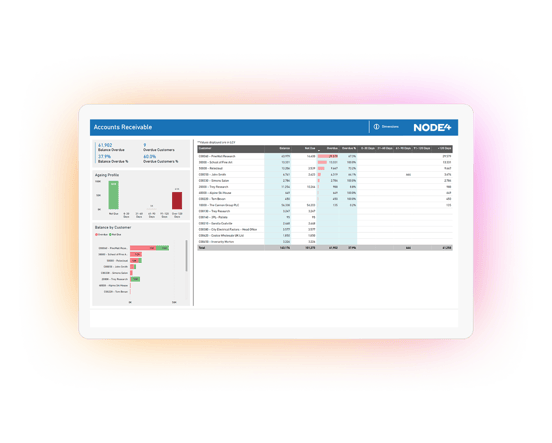
The Accounts Receivable Report provides finance teams with a clear view of outstanding customer balances, ageing profiles and overdue debt. Users can quickly identify customers that require attention and drill through to detailed invoice and ledger information.
Key Features
- Customer debt ageing analysis
- Overdue versus non-overdue balance monitoring
- Customer balance exceptions and risk identification
- Detailed customer ledger drill-through
- Interactive filtering and analysis
Accounts Payable Report
The Accounts Payable Report provides visibility into supplier balances and payment obligations, enabling organisations to effectively manage liabilities while maintaining positive supplier relationships and healthy working capital.
Key Features
- Vendor ageing analysis
- Due versus non-due liability monitoring
- Supplier balance management
- Detailed vendor ledger drill-through
- Interactive filtering and analysis
Who is the Power Pack Available for?
The Power Pack is available for Dynamics 365 Business Central Online (SaaS) out-of-the-box - all you need to do is install our extension. There are a few pre-requisite settings to check but these are simple.
If you're using Business Central On-Premise or an older version of Dynamics NAV or Navision (or any other system!), give us a call and we'll talk you through your options, as we can get you up and running quickly.