nHanced User Tasks
Letting you assign tasks to different users in Dynamics 365 Business Central
Small, But Powerful Tool to Save You Time
nHanced User Tasks for Dynamics 365 Business Central is a simple but powerful way to stay organised. Reducing time spent searching for information and making it easier to manage day-to-day work.
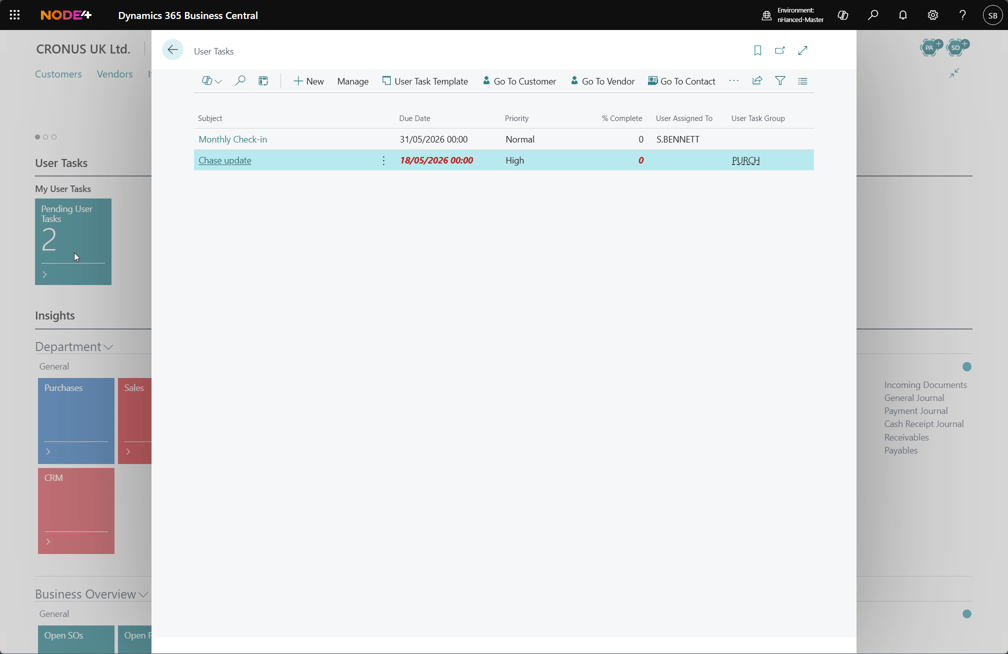
Assign tasks to individual users or user task groups and have the outstanding tasks shown on the Role Centre for ease and visibility.
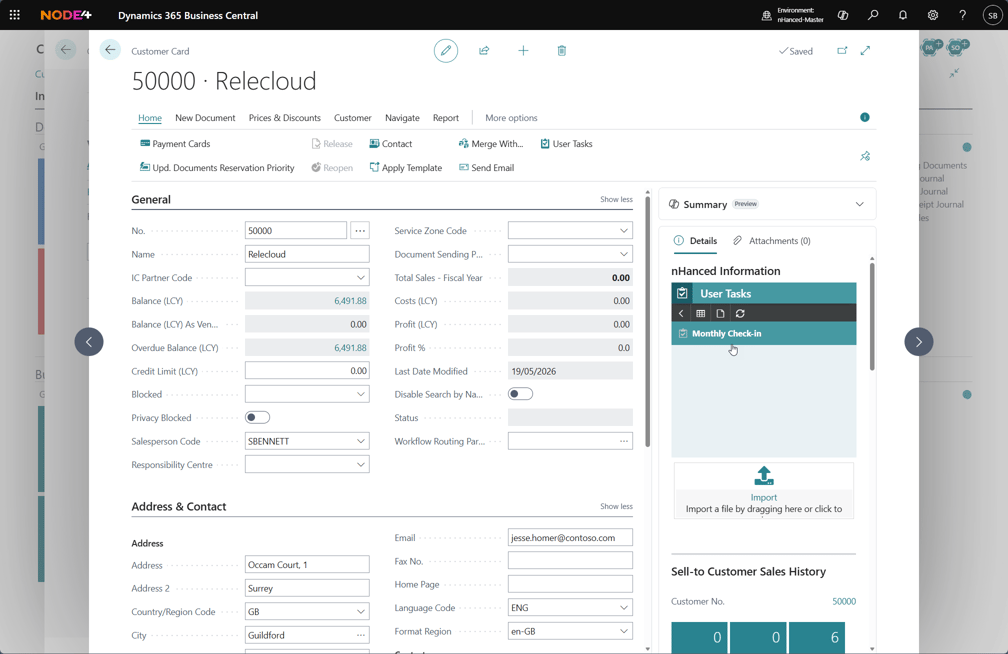
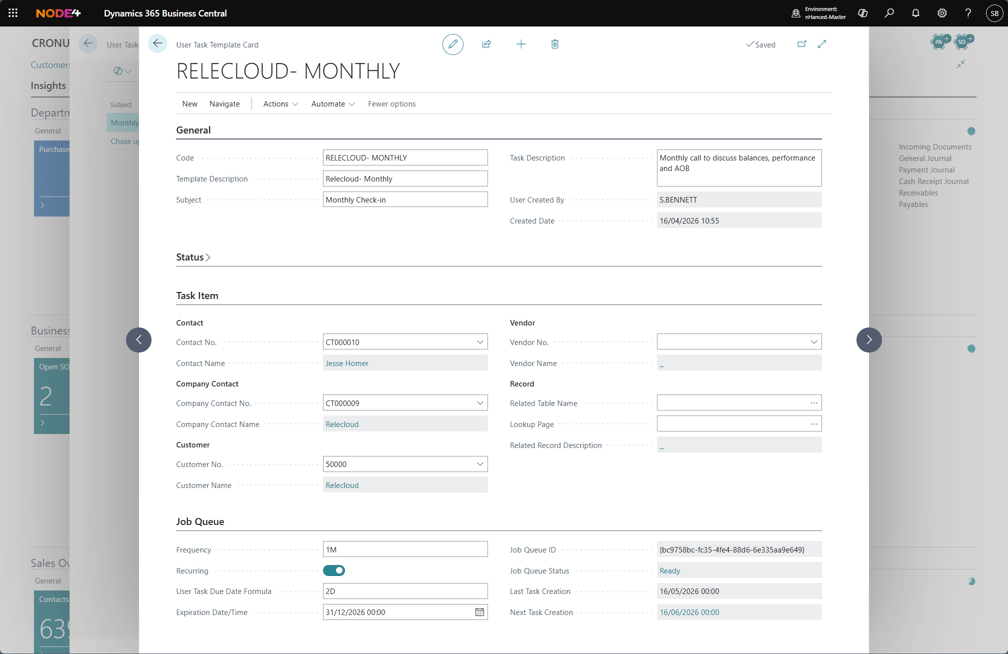
It extends the standard User Tasks functionality by allowing tasks to be linked directly to one or more records, such as customers, sales documents, or invoices. This means everything you need is connected and accessible from a single place.
Users can quickly navigate from a task straight to the relevant records or view related tasks directly from the nHanced Information FactBox; keeping context visible and eliminating unnecessary switching between screens.

Why we developed nHanced User Tasks
Microsoft’s Dynamics 365 Business Central has a standard Tasks button, where you can create a task like a ‘To Do’ list and set the date and time it’s due, then mark it as ‘complete’ once it’s done. It can also be used to create tasks for other people, such as your team members.
However, the downside of Dynamics 365 Business Central’s Tasks is that you cannot link a task to other records, such as company contact details or outstanding invoices, which means you have to search elsewhere in the Dynamics 365 Business Central database and then switch back and forth between Tasks. This can be time-consuming and frustrating, even for a relatively simple task such as making a phone call to follow up on a sales quote.
We wanted to give our customers the power to quickly and easily navigate straight to other documents without having to search for the information each time, so we developed our nHanced User Tasks module.
nHanced User Tasks seamlessly extends the standard Dynamics 365 Business Central User Tasks without removing any of the existing functionality.