Take Control of Your Role Centre With Custom Panels and Dynamic Tiles
When Dynamics NAV introduced Role Centre tiles, it was a major step forward, but the feature lacked flexibility, visual polish, and real-time insight.
Panels & Tiles take that idea further, giving you full control over how users engage with Business Central from the moment they sign in.
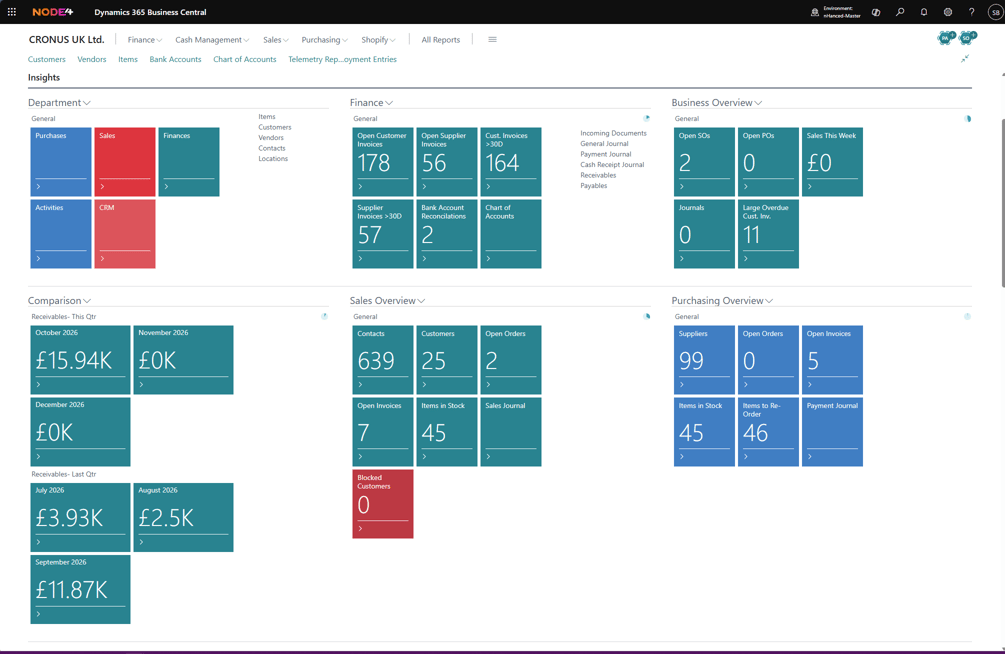
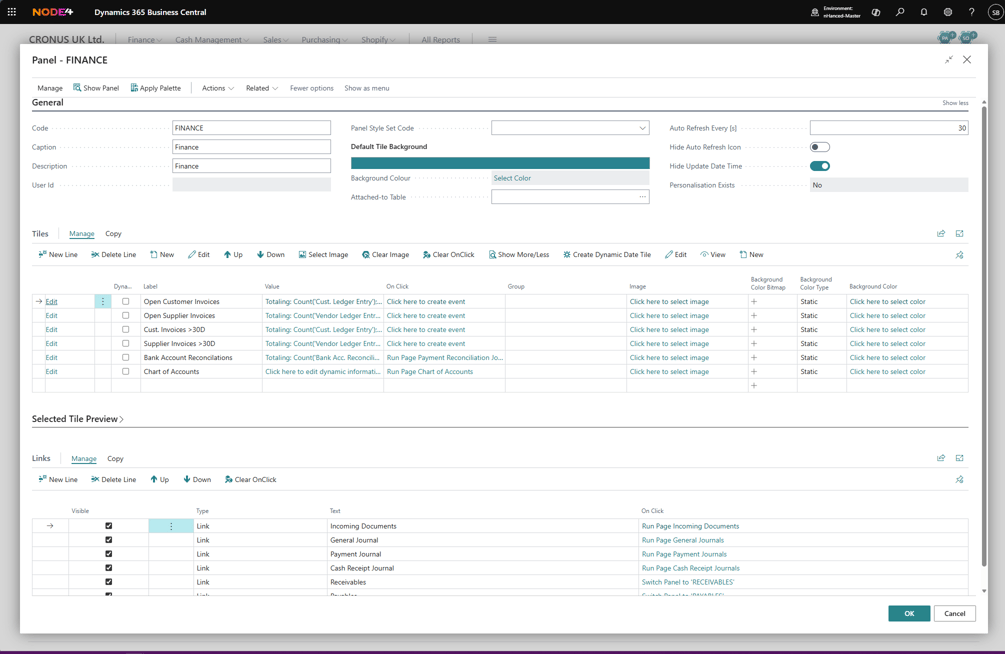
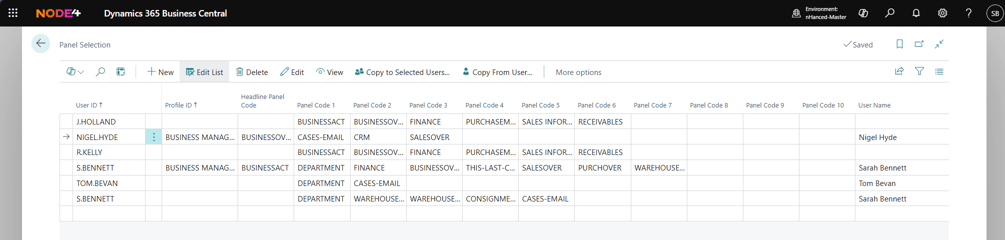
Panels are flexible containers that organise tiles and quick links into role-based workspaces. Administrators can manage them centrally, while users can personalise them, making each Role Centre better suited to how people work.
Tiles give users quick access to pages, reports, actions, and other panels directly from the Role Centre. More than shortcuts, they can display live counts, totals, and key metrics so users can spot what needs attention without opening another page.
Auto-refresh keeps these values current, reducing manual updates and ensuring users always see the latest information.
Tiles are dynamic and respond to the data behind them:
- Change colour when thresholds or conditions are met
- Highlight exceptions and issues immediately
- Direct users to the most urgent actions first
For example, a tile showing overdue customers can turn red once it passes a defined threshold, drawing attention where it matters most.
Tiles can also use filters to surface the most relevant data for each role or user. Whether focused on high-value customers, overdue documents, or region-specific information, the view can be tailored to each user’s needs.